
Tutorial · 3
Playing a game
Coins in, buttons, the controls beside the machine, and how XFME brings a game back almost instantly.
Starting a game
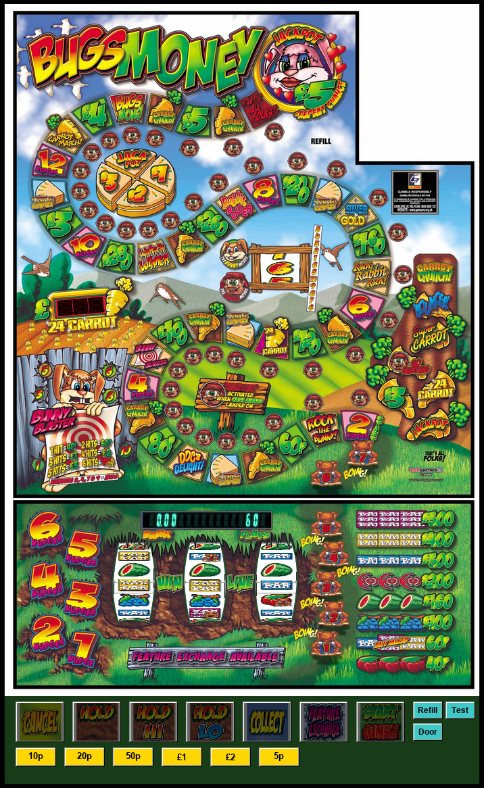
- In the library: choose the game and press PLAY, Enter or double-click it.
- File > Load Game opens any single .gam, as in MFME.
- From a shortcut, a batch file or a front end: see below.
Switching to another game closes the one that is running, and saves it first.
Coins, buttons and keys
- COIN IN puts a coin in: it presses the layout's own coin input once (the button on key 0, else its coin button).
- The layout's own coin and note buttons work as they always have, by click or by key.
- Click the machine's buttons (Hold, Nudge, Start, Collect ...) or press their keys.
- Hold KEYS (MFME's Ctrl+Y) and each of the layout's buttons shows its key.
- NOTES (Ctrl+N) opens the layout's notes: how the game plays, from the layout's maker.
The machine controls
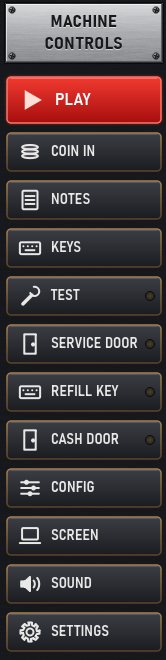
| Button | What it does | Key |
|---|---|---|
| PLAY | Runs the game chosen in the library | Enter |
| COIN IN | One coin, through the layout's own coin input | the layout's |
| NOTES | The layout's notes | Ctrl+N |
| KEYS | Hold to see each button's key | Ctrl+Y |
| TEST, SERVICE DOOR, REFILL KEY ... | The machine's switches: see Test mode and switches | Shift+T S R |
| CONFIG | This game's configuration (MFME's Configuration): stake, jackpot and percentage keys, Clear RAM | |
| SCREEN | MFME's window modes | |
| SOUND | The master volume | NumPad + − |
| SETTINGS | MFME's Preferences |
Focus and Full screen
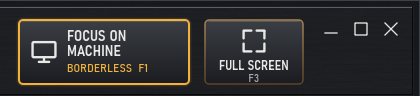
- FOCUS ON MACHINE (F1, MFME's Borderless): the machine alone, without a frame, where it is.
- FULL SCREEN (F3, MFME's Full Screen Max): the machine on the whole screen, fitted with its own proportions.
- Esc brings the XFME Desktop window back. MFME's other window modes are under SCREEN.
Quick start and saving
A game's first start boots it like a real machine, run at high speed; for some systems (Adder 5, Scorpion 5, MPU5 ...) that can take up to about two minutes, and coins put in before the game is ready are not taken. From then on XFME resumes the machine from its quick-start snapshot (<game>.gam.xsnap, beside the game) and it is ready almost at once.
The machine's memory and the snapshot are saved when the game closes, when XFME closes, when Windows sleeps or shuts down, and once a minute while you play. The .gam's statistics and reel positions are written when the game closes, as MFME does.
To start a machine from scratch, as an engineer would with a RAM clear, use CONFIG > Clear RAM. Its meters go back to zero.
F8 saves the layout as a picture in the game's folder.
Shortcuts, batch files and front ends
XFME reads its command line as MFME 20.1 does, so shortcuts and game selectors written for MFME only need the new program name and folder.
"C:\XFME\XFME.exe" "D:\MFME Games\Bugs Money\bugs.gam" -mode 4
-x-yand-w-h: where the window goes and its size.-mode:0the window,1maximised,2the machine alone without a frame,3full screen with the machine at its own place,4full screen with the machine fitted to the screen.-nohistory: the game is not added to the recent games.
The full list, with examples for shortcuts, batch files and front ends, is in COMMAND_LINE.txt in the XFME folder.